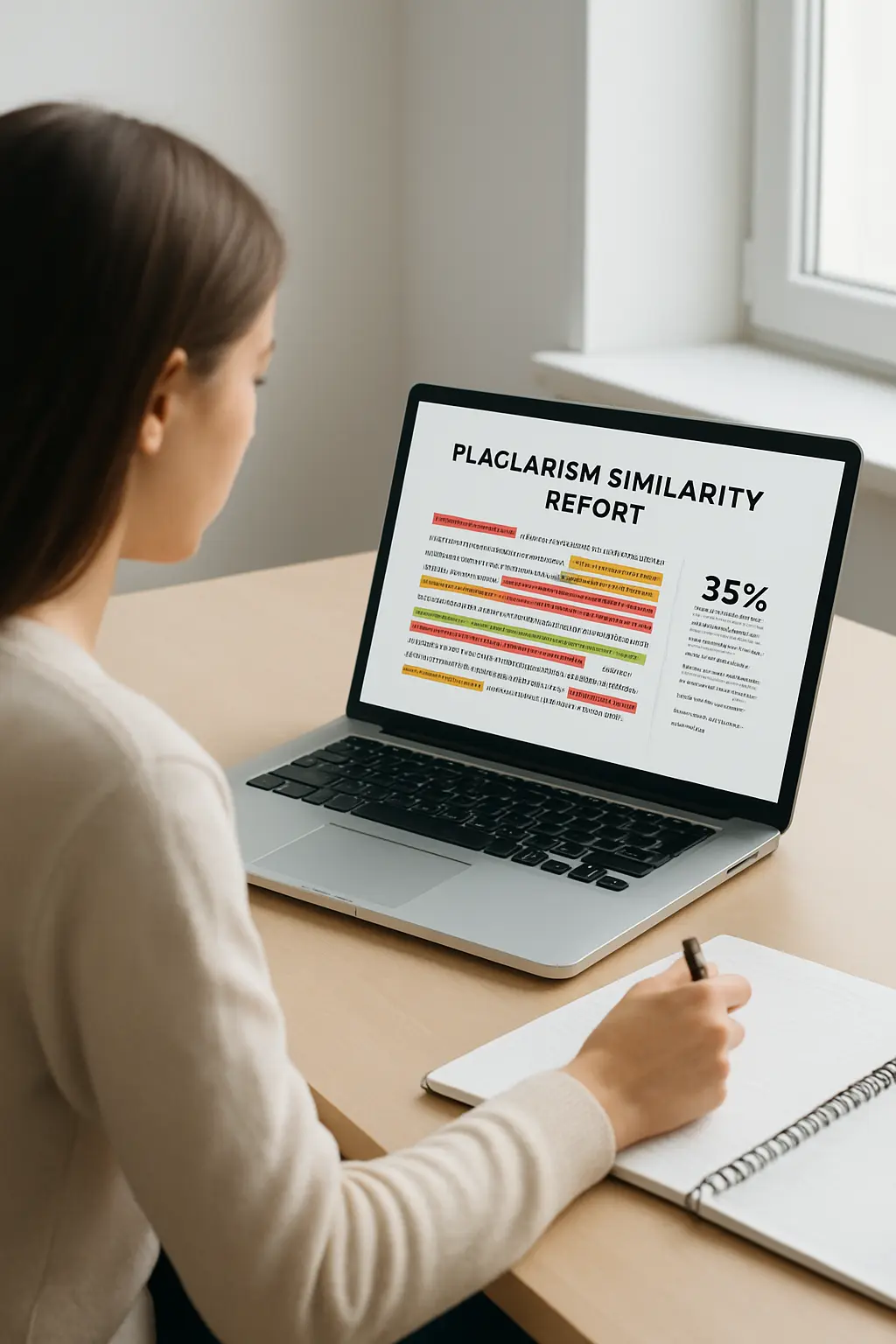
How to Check for Plagiarism in 2026: Free & Reliable Methods
That sinking feeling hits right before you hit “submit” — what if a passage borrowed too many words from a source? What if you forgot a citation somewhere in a 12,000-word dissertation? Knowing how to check for plagiarism before your work reaches an instructor or committee is one of the most valuable self-editing skills you can develop. Running an originality self-check is not about gaming a system; it is about submitting work you can stand behind, word for word.
Plagiarism checkers do one specific thing: they compare your text against large databases of published content and flag sections where your words match existing sources closely. They surface potential issues so you can investigate and fix them. Understanding what these tools show — and what they do not — transforms a nerve-racking pre-submission ritual into a focused, manageable quality check.
This guide walks through exactly how to run that check in 2026: which free and paid tools to use, how to read a similarity report without misreading it, and how to fix every category of flagged passage the right way.
Paste your text into a free checker (Duplichecker, PapersOwl, Scribbr) or a premium tool (Grammarly, Turnitin if your institution provides access), then open the similarity report and read every flagged passage in context. A high similarity percentage does not equal plagiarism — it means matching text that needs a second look. Fix flagged sections by adding the missing citation, converting loose paraphrases into genuine rewriting, or placing direct quotes inside quotation marks with a full reference.
What a Plagiarism Checker Actually Does
Plagiarism checkers are text-matching tools, not plagiarism adjudicators. They compare your document against databases — which may include published journal articles, books, websites, news archives, and previously submitted student papers — and return a similarity index showing what percentage of your text matches content already in that database. The software cannot determine intent, context, or academic honesty. That judgement belongs to a human reviewer.
This distinction matters because students often misread a high similarity percentage as a verdict of guilt, or a low score as a clean bill of health. Neither is correct. A 30% similarity score might consist entirely of correctly cited quotations and standard methodological phrases — raising no integrity concern at all. Conversely, a 4% score with one uncited paragraph lifted verbatim from a textbook is still a serious academic honesty problem. The number is a starting point, not the endpoint.
Most major checkers — including Turnitin, which serves more than 16,000 institutions worldwide — are explicit that their tool is a review aid. Similarity reports highlight text for a reviewer’s attention. Your job as the author is to investigate each flag before submission, not to bring the percentage to zero.
Free vs Paid Plagiarism Checkers in 2026
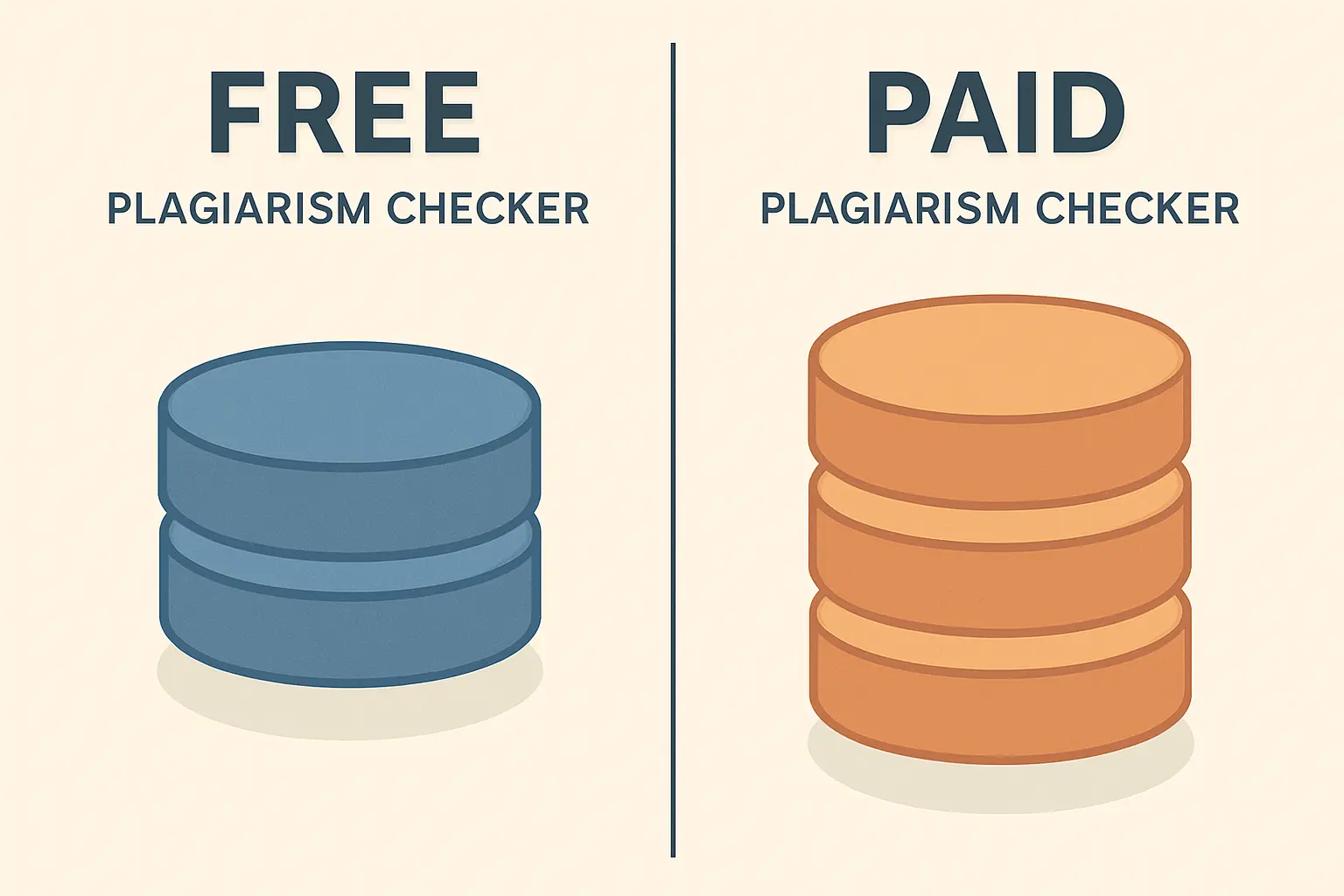
Free tools are genuinely useful for a quick self-check on shorter documents. Their databases are smaller than institutional platforms, their word limits are lower, and they rarely tap into the same proprietary archives of student submissions. For a first-pass review before you start revising, they are often enough. For a dissertation or thesis, you will want a more thorough scan.
| Tool | Free Tier Limit | Database Scope | Best For |
|---|---|---|---|
| Duplichecker | 1,000 words per scan | Web, open-access | Quick single-paragraph spot check |
| PapersOwl | No word limit | Web, open-access | Longer free scans without sign-up |
| Scribbr | Basic free tier | Academic journals, web | Academic documents, source-level reports |
| Grammarly | Premium only (paid) | 16 billion web pages | Combined writing + originality check |
| QuillBot | Premium only (paid) | Web, academic | Users already in the QuillBot writing workflow |
| Turnitin | Institution access only | Student papers, journals, web | Theses, dissertations, high-stakes submissions |
For a deeper comparison of free checker options — including accuracy tests on the same document across multiple tools — the 12 free plagiarism checkers tested in 2026 breakdown on Tesify shows precisely where each tool’s database coverage begins to diverge from what Turnitin would flag.
If your institution provides Turnitin through its learning management system, use it. No free tool matches the depth of its database, which uniquely includes previously submitted student work from universities globally — the source most likely to catch recycled text that web scrapers miss entirely.
For a detailed guide to the top-rated premium and free tools ranked specifically for students, see our full breakdown of the best plagiarism checkers in 2026.
How to Run an Originality Self-Check, Step by Step
Running an effective pre-submission self-check takes less than twenty minutes for most essays and somewhat longer for a full dissertation. The key is to approach it systematically rather than waiting for a number to appear and reacting to it.
- Finish editing before you check. Run the scan on your final, fully cited draft — not a working version with placeholder references or unsourced notes still in the text.
- Choose the right tool for the document length. For a short essay under 2,000 words, a free tool is fine. For a thesis or dissertation, use your institution’s Turnitin access or a subscription-based checker with academic database coverage.
- Upload or paste the complete document. Some students check chapter by chapter to stay under word limits, which is valid — just make sure every section gets checked, not only the ones you feel uncertain about.
- Wait for the full report. Most tools take between thirty seconds and a few minutes. Do not close the tab mid-scan.
- Open the source breakdown, not just the overall percentage. The source-level view shows exactly which external document each flagged passage matches — that context is what lets you decide whether the match is legitimate or needs attention.
- Work through flagged passages one by one. Address the highest-match passages first. For each one, ask: Is this a direct quotation with proper marks and a citation? A paraphrase with a citation? A paraphrase without a citation? Entirely uncited text?
- Run a second scan after revision if needed. If you rewrote or added citations to multiple passages, one re-check confirms you addressed all the flags correctly.
How to Read a Similarity Report
Most tools present similarity using a colour-coded percentage. Turnitin’s standard colour bands — which many other tools have adopted — group matches into broad risk tiers:
- 0–24% (green): Low similarity. This range is typical for well-cited essays and most academic work. Review any individual flagged match but do not treat the number as inherently problematic.
- 25–49% (yellow): Some similarity detected. Common in heavily cited literature reviews or research proposals that quote extensively. Context matters: check whether flagged text is properly attributed.
- 50–74% (orange): Significant similarity. This warrants careful review. Often found in heavily quoted documents or reports that reproduce methodologies, but missing citations are more likely here.
- 75–100% (red): Very high similarity. Requires thorough investigation regardless of context.
Beyond the percentage, look at two things: the length of the longest individual match and whether the matches cluster in one section or are spread throughout. A single 300-word match in a 10,000-word thesis is a more specific problem to investigate than 50 scattered two-word phrase matches, which are often unavoidable common phrases.
What to Do When Passages Are Flagged
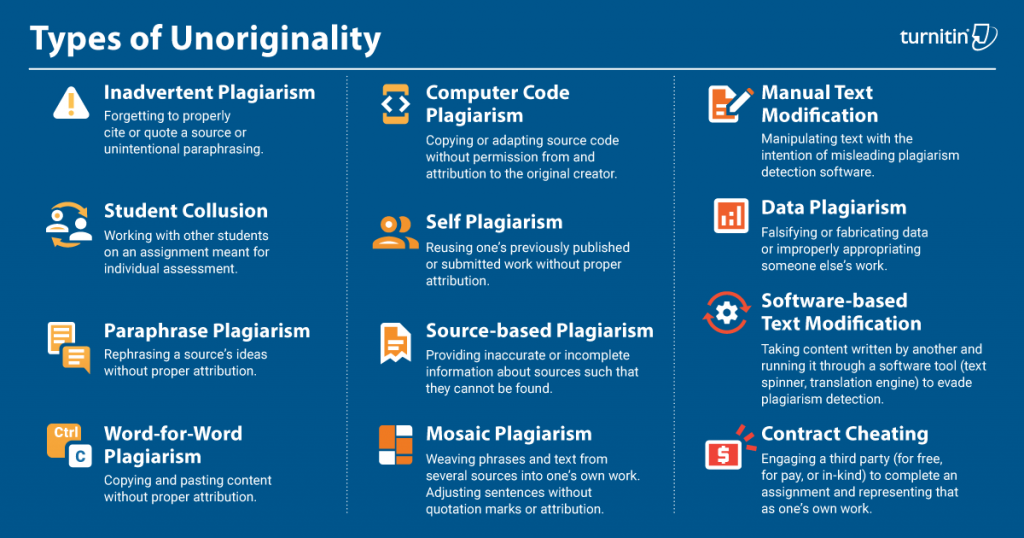
Every flagged passage falls into one of four categories, and each has a specific fix. Applying the right fix for the right reason is what distinguishes genuine revision from surface-level score reduction.
Category 1: Missing citation on a paraphrase
You absorbed a source’s idea and wrote it in your own words but forgot to cite the original author. Fix: add the in-text citation and the corresponding reference list entry. No rewriting is necessary — the words are already your own; the attribution was just missing. For guidance on correct citation formats, see our guides to APA website citation and MLA 9 formatting.
Category 2: Near-copy paraphrase that stayed too close to the original
You changed a few words but left the sentence structure intact, producing what is sometimes called “patchwriting.” Fix: read the original passage once, set it aside, and write what the source says from memory in your own words. The resulting paraphrase will naturally diverge in phrasing and structure. Add the in-text citation. A thesaurus-swap approach alone will not fix this — plagiarism checkers are designed to detect synonym substitution, and more importantly, it does not reflect genuine understanding of the material.
Category 3: Direct quotation without quotation marks
You reproduced an author’s exact words without marking them as a quotation, even if you cited the source. Fix: enclose the passage in double quotation marks (or format as a block quote if it exceeds roughly 40 words in APA style), and ensure the citation includes page numbers where required.
Category 4: Self-plagiarism from your own earlier work
You submitted text from a previous assignment or paper without permission or disclosure. Fix: rewrite the passage entirely or obtain explicit permission from your institution to build on prior work, then cite your own earlier submission as a source. For a full discussion of what self-plagiarism means and when it applies, see the complete guide to avoiding plagiarism.
If AI-generated text appears in your document and your institution permits responsible AI use, make sure it is properly attributed. Check your department’s current policy and see how to cite AI-generated content correctly in APA, MLA, and Chicago.
Six Habits That Keep Your Similarity Score Low
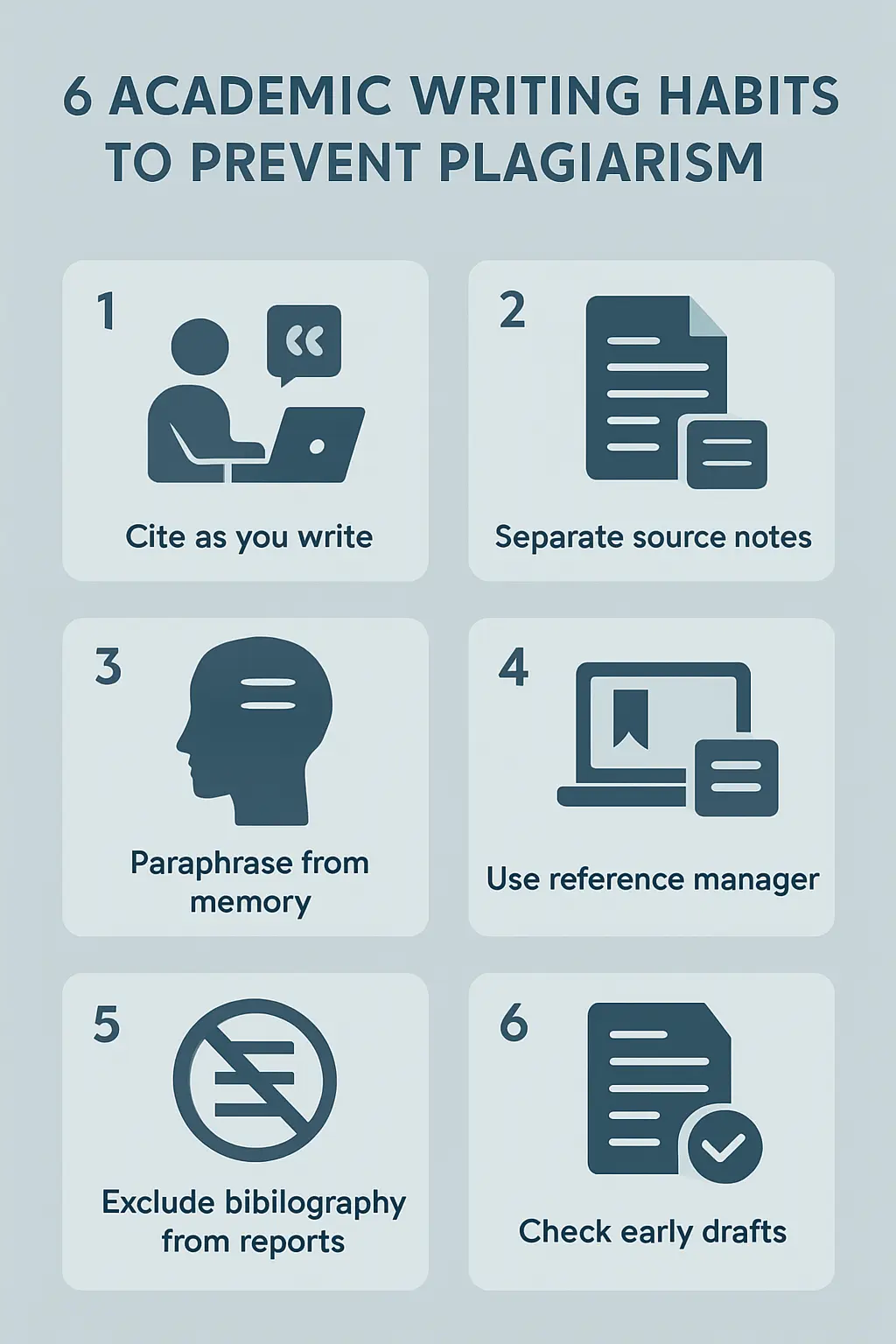
The most effective way to handle a plagiarism check is to need very little remediation when the report comes back. These habits build that outcome into your writing process from the start, rather than bolting on a check at the end.
- Cite as you write, not after. Adding citations retrospectively is where gaps appear. Insert the in-text citation the moment you use a source — even in a rough draft.
- Keep source notes and your own notes physically separate. A second document or colour-coded annotations make it much harder to accidentally paste a source’s words into your draft as if they were your own.
- Paraphrase from memory. Read the relevant passage, look away, then write. This produces genuinely original phrasing and forces comprehension rather than transcription.
- Use a reference manager. Tools like Zotero and Mendeley prevent citation omissions by storing source metadata alongside your notes. See our Zotero vs Mendeley comparison to choose the right one for your workflow.
- Exclude reference lists and headers when interpreting results. Most checkers allow you to exclude bibliography, quoted material, or small matches — use this feature to strip noise from the report so you focus on what matters.
- Check a sample chapter before the full draft is complete. Running one early chapter through a free checker while you are still writing gives you time to adjust habits if something unexpected appears.
Tesify’s built-in originality self-check
When you draft your thesis or dissertation with Tesify, the platform structures your document chapter by chapter, ensures references are formatted correctly from the start, and runs an originality check as part of the writing workflow — so you arrive at submission day confident in your work’s authenticity. Free to start, no credit card required.
Frequently Asked Questions
What is an acceptable similarity score for a dissertation?
There is no single universal threshold. Many university guidelines indicate that a similarity score below 15–20% is generally considered acceptable for a dissertation, but this varies by institution and department. More important than the overall percentage is what is causing the matches — properly cited quotations and common academic phrases are very different from uncited paraphrases. Always consult your institution’s academic integrity policy and ask your supervisor what threshold applies to your programme.
Can I check for plagiarism for free before submission?
Yes. Several free tools are suitable for a preliminary self-check. Duplichecker allows scans of up to 1,000 words per check. PapersOwl offers free scanning without a strict word limit. Scribbr has a basic free tier with academic database coverage. These tools are best for shorter documents or early drafts. For a full thesis or dissertation, your institution’s Turnitin access (if available) or a paid subscription tool will provide more thorough coverage of academic databases.
Does a high similarity score mean I’ve plagiarised?
Not automatically. Similarity score and plagiarism are not the same thing. A high score means your text contains a significant amount of text that matches other sources. Those matches may include correctly cited direct quotations, reference list entries, standard methodological phrases, or common academic terminology — none of which are plagiarism. The score signals where to look; the content and context of the flagged matches determine whether there is an actual integrity concern.
How is Turnitin different from free plagiarism checkers?
Turnitin’s primary advantage is its database of previously submitted student work, which free tools do not access. This means Turnitin can detect text that was reused from another student’s past submission — something web scrapers cannot find because that content is not publicly indexed. Turnitin is also used by more than 16,000 institutions worldwide, which means its database of student submissions grows with each academic cycle. If your institution provides Turnitin access, using it before submission gives you the closest view of what your instructor will see when your work is checked.
What is the best way to fix a paraphrase that is too close to the source?
The most reliable method is to read the original source passage, then close or cover it and write what it says entirely from memory without looking back at the original. This naturally produces different phrasing and sentence structure. After writing, compare your paraphrase to the source to confirm you have captured the meaning accurately, and add the required in-text citation. Avoid swapping individual words with synonyms while keeping the original sentence structure — this approach is both ineffective and unlikely to reflect genuine understanding of the material.
Do I need to cite AI-generated content to avoid plagiarism?
If your institution permits the use of AI tools, most academic integrity frameworks require you to disclose and cite any AI-generated content. The specific format varies by citation style — APA 7, MLA 9, and Chicago all have guidance for AI-generated text. Failing to disclose AI-generated content when required may be treated as a form of academic misconduct independent of plagiarism detection, since originality checkers are not primarily designed to catch AI-generated text. Always check your department’s current AI use policy before including AI-generated material in any assessed work.