Best Dissertation Writing Software in 2026: From Outline to Defence (Tesify, Reference Managers & Editors Compared)
Choosing the wrong dissertation writing software is a more expensive mistake than it sounds. Switch reference managers at chapter four and you can spend a full week reformatting 200 citations. Drop your editor for a new one halfway through and your formatting styles drift. Start without a structured outliner and chapter two rewrites itself three times. The market for dissertation tools is crowded in 2026 — AI assistants, reference managers, grammar checkers, and plagiarism detectors all compete for your subscription budget and your attention. This guide maps every category, names the strongest options honestly, and tells you exactly which stack to use depending on your degree level and budget.
The short answer: most students need four types of software, and they can cover all four with as few as two well-chosen tools. If you want to understand the full chapter sequence you will be working through before committing to any software, the complete guide to how to write a dissertation in 2026 is the right starting point. Once you understand the structure, your software choices become obvious.
Why Your Tool Choice Matters
A dissertation is not a long essay. It is a multi-month, multi-chapter project with dozens of moving parts: a proposal, a literature review, a methodology chapter, results, discussion, and a defence presentation. The software you choose shapes how easily you can reorganise chapters, track sources across hundreds of papers, maintain consistent formatting under university style requirements, and verify your work is original before your examiner sees it.
Locking in your tools at the start — and staying consistent — is the single biggest workflow improvement most research students can make. The two failure modes are picking tools that do not talk to each other (so you reformat the same bibliography three times) and picking tools that do too much of the thinking for you (so you cannot defend what you submitted). Both are avoidable with the right stack.
The Four Categories of Dissertation Writing Software
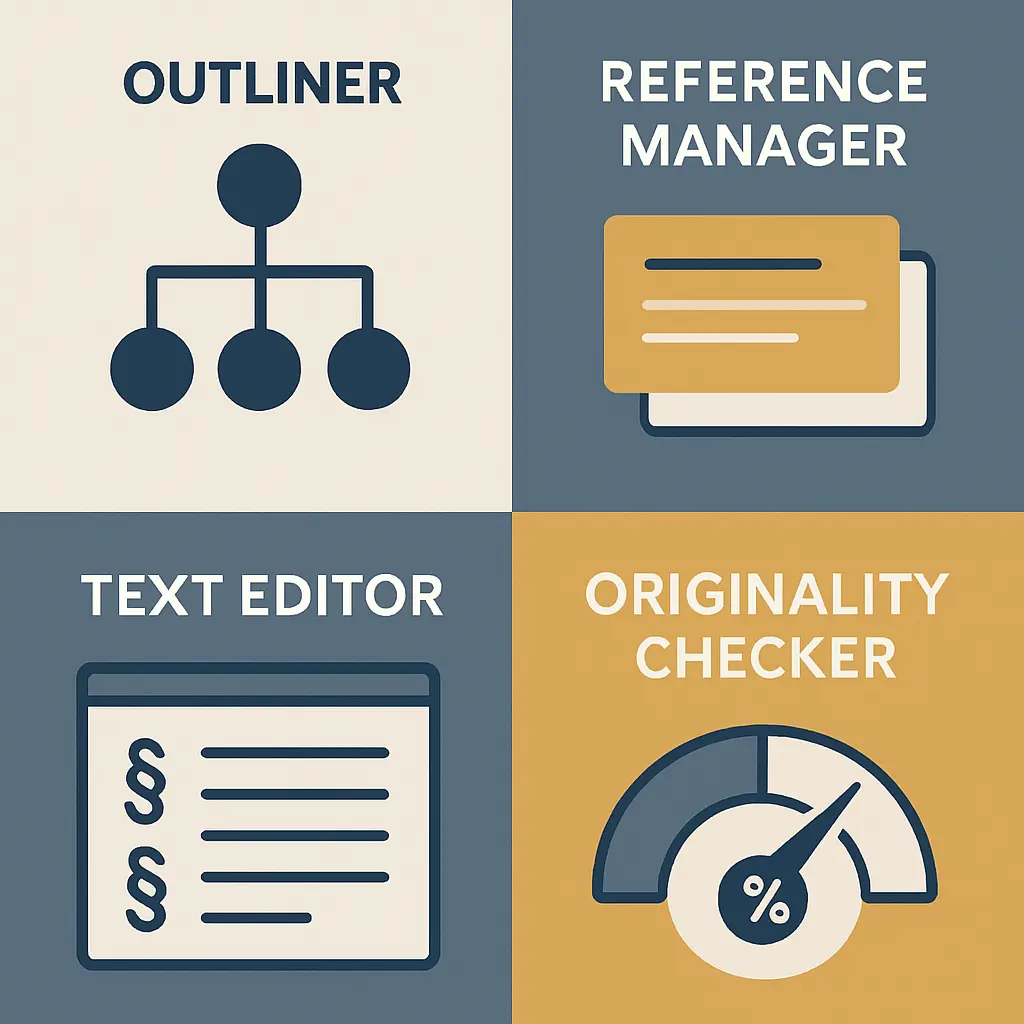
Every tool in the market falls into one of four categories. Successful students cover all four — either with separate specialised tools or with a platform that bundles them.
| Category | What It Does | Common Tools |
|---|---|---|
| Outliner | Structures chapters and arguments before drafting | Scrivener, Notion, Tesify |
| Reference Manager | Saves, organises, and formats citations automatically | Zotero, Mendeley, EndNote |
| Writing Editor | Long-form drafting, style, and grammar | Word, Google Docs, Scrivener, Grammarly |
| Originality Checker | Pre-submission similarity scan to catch unintentional overlap | Turnitin, Scribbr, Copyleaks, Tesify |
Category 1: Outliners & Structure Tools
Outlining is the step most students skip — and then regret at chapter three when their argument has no coherent spine. A good outliner lets you place every section, sub-section, and key claim before you write a single sentence of prose. This makes restructuring fast (drag a heading, not 2,000 words) and helps supervisors give targeted feedback on your plan rather than your draft.
Scrivener
Scrivener remains the go-to long-form outliner for PhD researchers. Its Binder panel lets you nest chapters, scenes, and research notes in a drag-and-drop tree, while the Corkboard view gives a card-based overview of your whole project. The steep learning curve is its main liability — most researchers need several days before the tool feels intuitive. It costs a one-time fee (around £47/$49) with no ongoing subscription.
Notion
Notion works well for students who want a free, cloud-based workspace that doubles as both an outliner and a research database. You can build linked notes alongside chapter drafts, track sources, and share progress with supervisors in real time. Its weakness is exporting to .docx — the format required by most universities at submission — since complex Notion formatting rarely survives the conversion cleanly. Treat Notion as a planning space, not a final drafting environment.
AI Thesis Outline Generators
In 2026, AI-assisted outliners have closed the gap significantly. Tools that generate a chapter skeleton from your research question give you a working structure within minutes rather than days. The value is not in accepting that skeleton wholesale — your supervisor will reshape it — but in having something concrete to react to and refine. Our detailed guide to AI thesis outline generators in 2026 walks through this workflow and explains how to validate the generated structure against your programme requirements before you start drafting.
Category 2: Reference Managers
A reference manager is non-negotiable for dissertation work. Manually formatting 150 or more citations in APA 7, Chicago, or Harvard is error-prone and slow. Reference managers import sources directly from academic databases, store full-text PDFs, insert in-text citations while you write, and auto-generate your reference list in any citation style at the click of a button.
Zotero (Recommended for Most Students)
Zotero is free, open-source, and runs on Windows, macOS, and Linux. Its browser connector imports citations from Google Scholar, PubMed, JSTOR, and most institutional databases in one click. Word and Google Docs plugins handle in-text citation insertion and bibliography generation automatically. Zotero’s cloud storage allowance is modest at 300 MB free, but PDF storage can be redirected to your own WebDAV server or a locally synced folder at no cost — making it effectively unlimited for researchers who know how to set it up.
Mendeley
Mendeley (owned by Elsevier) was once the strongest free alternative to Zotero. Its free cloud storage tier has been reduced significantly in recent years, which has pushed many researchers back toward Zotero. Mendeley’s PDF annotation features are genuinely strong, and its institutional access through many universities can compensate for the storage constraints. If your supervisor uses Mendeley group libraries for collaborative annotation, it remains a viable choice.
EndNote
EndNote is the institutional standard at many research universities, particularly in the life sciences. Its power comes from deep database integrations and large shared group libraries — but individual licences are expensive, and the interface has not modernised as quickly as its competitors. Check whether your institution provides free access before purchasing; many do.
For a complete side-by-side breakdown and a clear recommendation by use case, see the full Zotero vs Mendeley comparison for 2026. For a three-way breakdown that also covers EndNote and Word plugin reliability, the Zotero vs Mendeley vs EndNote 2026 comparison goes deeper on storage constraints and institutional access.
Category 3: Writing Editors & Grammar Checkers
Most UK and US universities require dissertation submissions in Microsoft Word (.docx) format. Google Docs is a viable drafting environment — especially for collaborative working with supervisors — but always export to Word and finalise formatting there before submission, since style sheets and complex header/footer numbering behave differently across the two platforms.
Microsoft Word
Word remains the safest choice for dissertation formatting. Its Styles system handles heading hierarchies, automatic table of contents generation, and separate page numbering for front matter and main body chapters. The built-in Review and Track Changes mode makes supervisor feedback tractable across long documents. A Microsoft 365 student subscription is often free or heavily discounted via your institution.
Google Docs
Google Docs wins on real-time collaboration and accessibility across devices. If your supervisor leaves inline comments, or you are co-authoring a chapter with a research partner, Docs eliminates version-conflict headaches entirely. The Zotero connector (via the Zotero Connector browser extension) handles citations inside Docs. Its weakness is multi-section page numbering and complex formatting tasks — both of which become genuinely frustrating on documents exceeding 50 pages.
Scrivener as an Editor
Scrivener users typically write in Scrivener and compile to a Word document for the final formatted draft. This workflow is popular among researchers who find Word’s linear interface difficult to navigate on very long documents — but it adds an extra compilation step and requires careful style mapping to ensure headings and indentation transfer correctly.
Grammar Checkers
Grammarly’s Premium plan catches sentence-level clarity issues, passive voice overuse, and hedging language that weakens academic arguments. It integrates with both Word and Google Docs via a browser extension. QuillBot is frequently used alongside Grammarly for paraphrasing — but students should understand that using QuillBot to rephrase source passages without proper attribution constitutes a citation integrity issue under most university policies. For a clear comparison of how these tools interact with academic integrity requirements, see Grammarly vs QuillBot for academic writing in 2026.
Category 4: Originality Self-Check Tools
Running an originality check before you submit is now standard practice at research-intensive universities — and at many institutions it is a submission requirement. This is not about gaming a similarity score. It is about catching accidental overlap, passages that read more like a paraphrase than your own analysis, and citations you forgot to insert. The time to find these issues is before your examiner does.
Turnitin
Turnitin is the institutional standard. Most students access it through their university’s submission portal rather than directly. If your institution allows draft submissions to Turnitin, use that feature at least two weeks before your deadline. The colour-coded report by source is the most useful output in academic submission software — but interpreting what the score actually means requires some care. The detailed guide to Turnitin similarity scores in 2026 explains how to read every colour band and what level of overlap is routine versus genuinely concerning.
Scribbr Plagiarism Checker
Scribbr’s checker uses Turnitin’s database under the hood, making it the most credible consumer-facing alternative. It is particularly useful when your university does not offer draft submissions, or when you want an independent check on early chapters before you share them with your supervisor.
Copyleaks
Copyleaks checks text against web content, published papers, and — importantly in 2026 — AI-generated text databases. If your institution flags AI-generated content on submission, a pre-submission Copyleaks scan can identify passages that may pattern-match as machine-written and prompt you to revise before they become a problem.
For a ranked comparison of free and paid originality checkers by accuracy and use case, see the best plagiarism checkers in 2026.
Tesify: The Integrity-First All-in-One
Tesify is built specifically for thesis and dissertation students who want AI assistance without crossing into academic misconduct. It covers all four categories of dissertation writing software in a single platform — but its defining design principle is that your research, your argument, and your critical analysis stay yours. Tesify helps you structure, draft, and reference; it does not write your dissertation for you.
Here is what Tesify provides at each stage of a dissertation project:
- Outlining: Generate a chapter skeleton from your research question and supervisor brief. The output is a starting point you refine — not a finished structure you accept wholesale.
- Literature review drafting: Upload your collected sources and Tesify synthesises them into a structured draft section. The source selection, critical evaluation, and interpretive framing remain yours. See how the AI literature review generator handles source synthesis without replacing your analysis.
- Chapter drafting: Section-by-section drafting prompts keep your argument aligned with your stated research questions and flag when your prose is drifting away from your methodology chapter commitments.
- Reference management: Paste a DOI, upload a PDF, or search a title directly — Tesify formats references in APA 7, Harvard, Vancouver, MLA, and Chicago, with in-text citations inserted as you draft.
- Originality self-check: Run a similarity scan before submission to catch unintentional overlap across your complete draft.
Tesify is positioned as an AI academic writing assistant — not a ghostwriter. The distinction matters practically: your examiner will ask you to defend every argument in your dissertation at viva or oral defence, and universities are increasingly running AI-detection scans on submissions alongside similarity checks. Tesify is designed to leave the intellectual authorship with you while removing the mechanical burden of structuring, formatting, and cross-checking. Free sign-up, no credit card required.
Recommended Stacks by Budget
The right stack depends on your constraints and working style. These three configurations cover the most common situations:
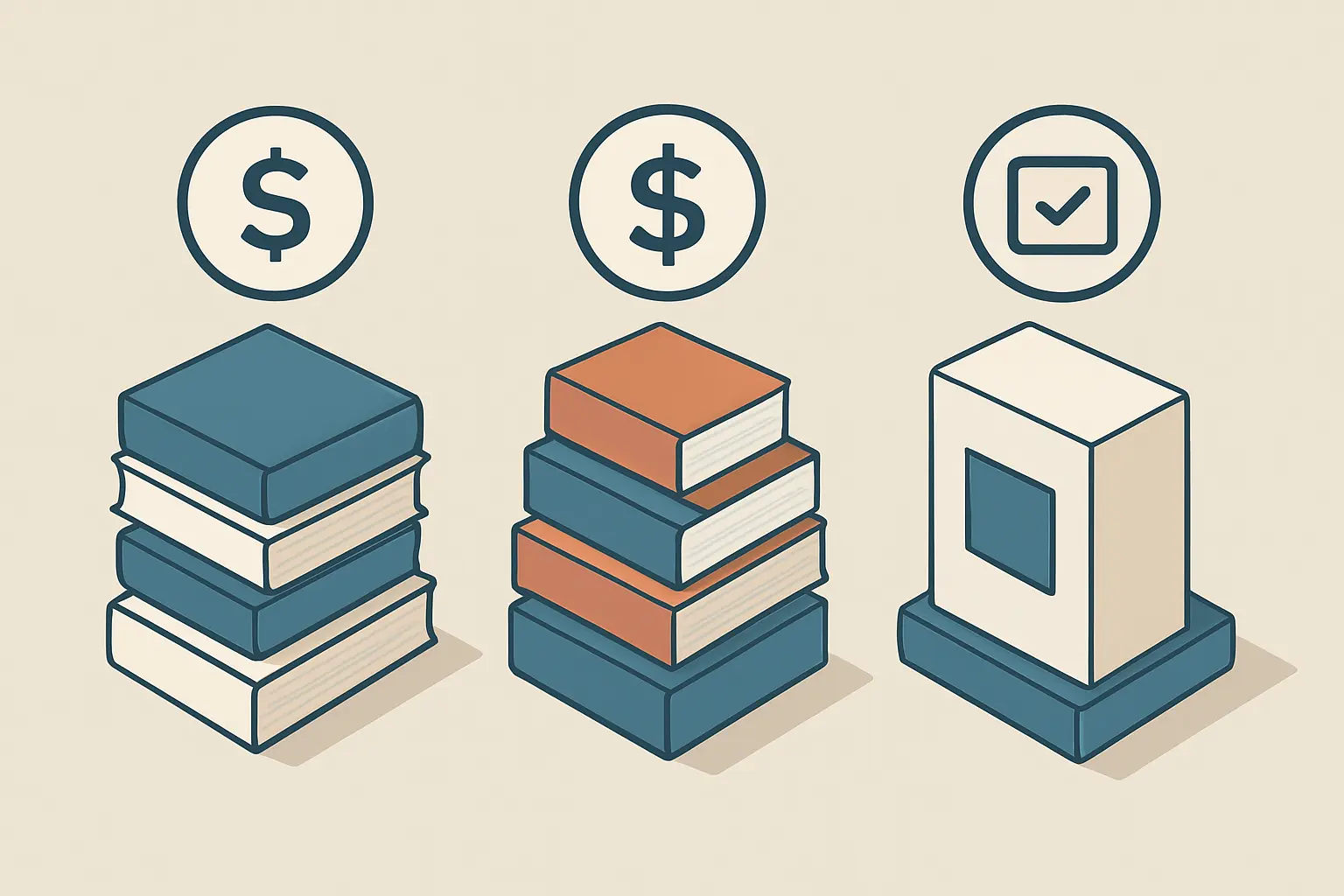
| Stack | Tools | Monthly Cost |
|---|---|---|
| Free stack | Tesify (free tier) + Zotero + Google Docs + institutional Turnitin | £0 / $0 |
| Standard stack | Tesify + Zotero + Microsoft Word (student licence) + Grammarly Premium | ~£10–15 / $12–18 |
| Single-tool option | Tesify full plan — covers outlining, referencing, AI-assisted drafting, and originality check in one platform | Tesify subscription |
A note on LaTeX: if you are writing a STEM dissertation with heavy mathematical notation — common in mathematics, physics, and computer science — pair Overleaf (the browser-based LaTeX editor) with Zotero via the Better BibTeX extension. LaTeX handles complex equations and multi-file document compilation with precision that Word cannot match, though the learning curve is substantial for students new to markup languages.
Frequently Asked Questions
What is the best dissertation writing software overall in 2026?
For most students, Tesify is the strongest single-tool option in 2026 because it covers outlining, AI-assisted drafting, reference management, and originality checking in one integrity-first platform. If you prefer separate specialised tools, the combination of Zotero (references) plus Microsoft Word (editor) plus institutional Turnitin access (originality check) covers every category with reliable, well-supported software at low or no cost.
Is Zotero better than Mendeley for dissertation research?
For most students in 2026, yes. Zotero is free, open-source, has no meaningful storage cap when configured with WebDAV or a locally synced folder, and its browser connector and word processor plugins are consistently reliable across platforms. Mendeley’s reduced free storage and its ownership by Elsevier (which raises data-sharing concerns for some researchers) have made it a less attractive default. If your supervisor uses Mendeley group libraries for shared annotation, it remains viable — but Zotero is the stronger independent choice.
Can I use AI software to write my dissertation?
You can use AI tools to assist with structuring, drafting, and editing — but the intellectual work must remain yours. Most universities’ academic integrity policies permit AI as an aid (similar to a writing tutor or grammar checker) but prohibit submitting AI-generated text as your own original work without disclosure. Tesify is designed around this boundary: it scaffolds and supports your writing without producing finished text you submit verbatim. Your arguments, your source selection, and your analysis stay yours.
Do I need paid software to complete my dissertation?
No. A fully capable dissertation stack can be assembled for free: Tesify’s free tier, Zotero (free), and Google Docs (free) cover outlining, reference management, and drafting. Your institution’s submission system almost certainly provides Turnitin access for your originality check. The main paid upgrades — Grammarly Premium, Scrivener, and a Scribbr pre-submission check — improve quality of life but are not essential for producing a successful dissertation.
What software do PhD students typically use for dissertation writing?
PhD students in the humanities and social sciences most commonly use Zotero for references, Microsoft Word for writing, and Turnitin (via their institution) for originality checks. STEM PhD students often write in LaTeX on Overleaf, paired with Zotero and the Better BibTeX plugin. Scrivener is popular among researchers managing large multi-chapter projects who find Word’s single-document approach limiting. AI tools like Tesify are increasingly adopted for literature synthesis and structural planning at both master’s and doctoral level.
Build Your Dissertation Stack Today
Tesify combines every category of dissertation writing software in one integrity-first platform — from your first chapter outline to your pre-submission originality scan. Sign up free today (no credit card required) and structure your first chapter in under ten minutes.
If you are still in the planning stage, the complete guide to writing a dissertation in 2026 will show you exactly what each chapter requires before you commit to any tool.